
Viewing email headers
Email headers contain technical information (servers the message passed through, sender’s email client data, antivirus check results) and allow detailed analysis of messages.
Mail services:
Email clients:
- Outlook 2010, 2013
- Outlook 2002, 2007
- The Bat! v6.5
- Thunderbird
- Apple Mail
- Outlook Express, Почта Windows (Windows Mail)
Rucenter Mail
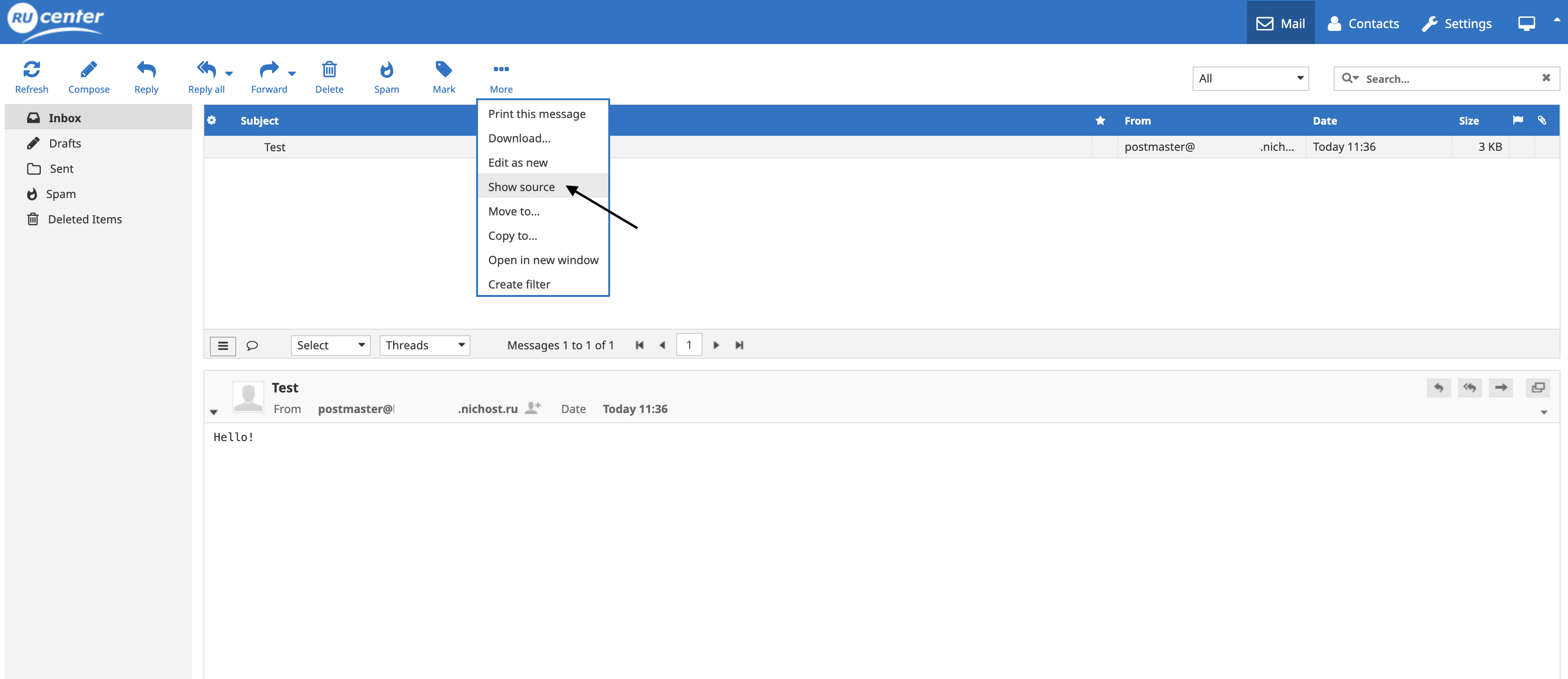
- Open the email.

- In the toolbar, click the More button. From the dropdown list, select Show source.
Gmail.com
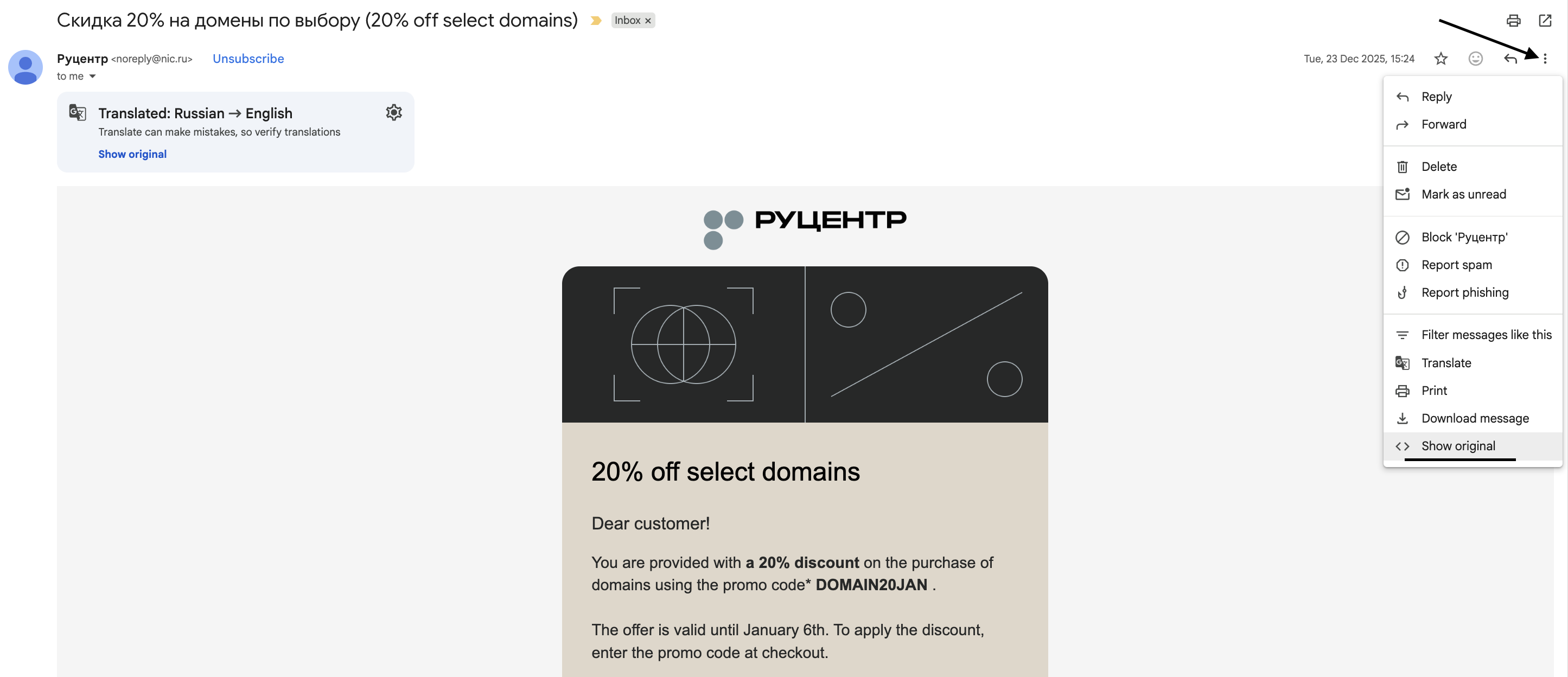
- Open the email.
- In the top right corner, click on the three vertical dots.
- Select Show original from the menu.
Yandex Mail
- Open the email.
- On the top right, click on the three horizontal dots.
- Then click Message properties in the toolbar.

Mail.ru
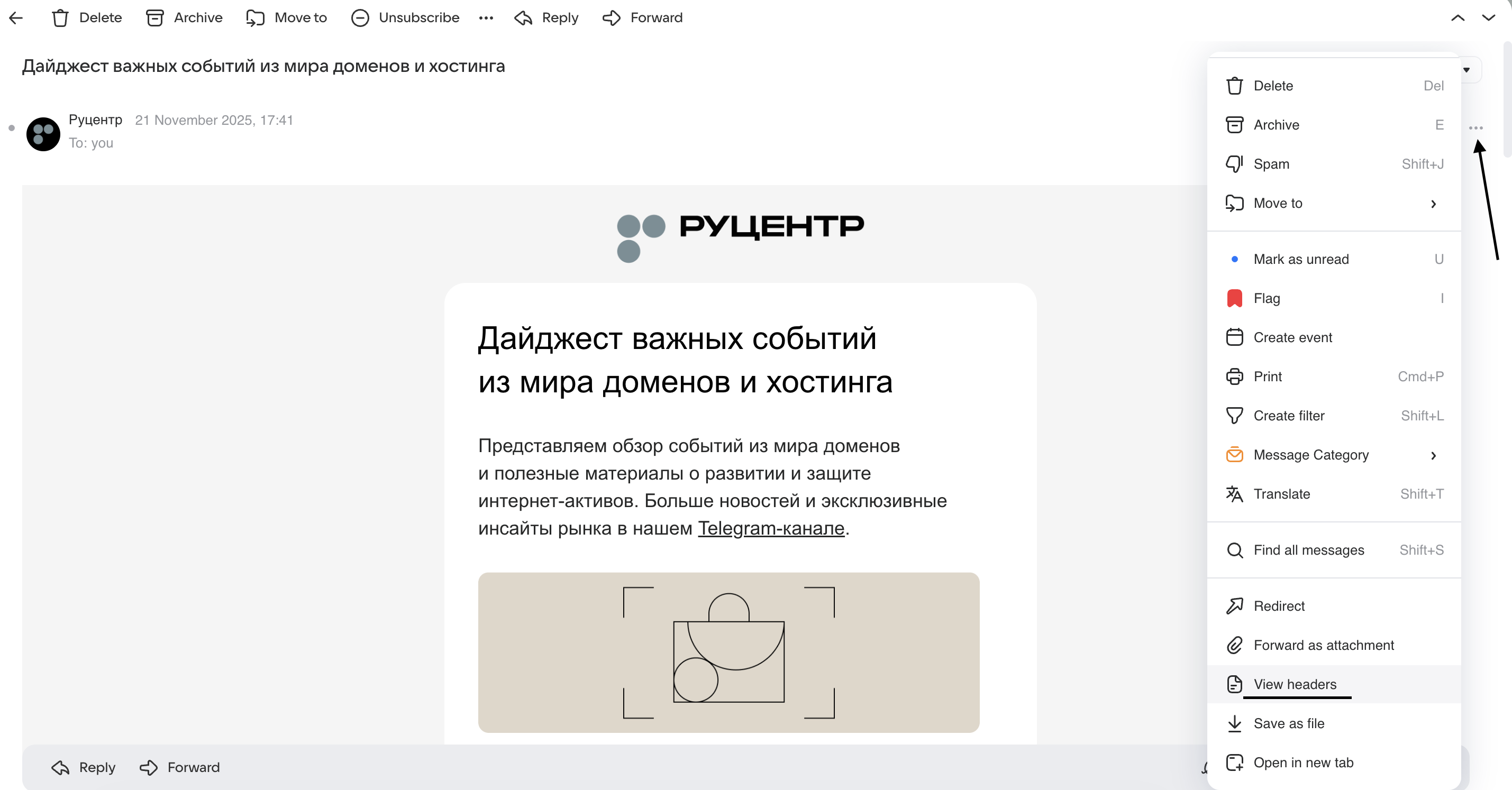
- Open the email.
- Click on the three horizontal dots.
- From the dropdown list, select View headers.
Rambler Mail
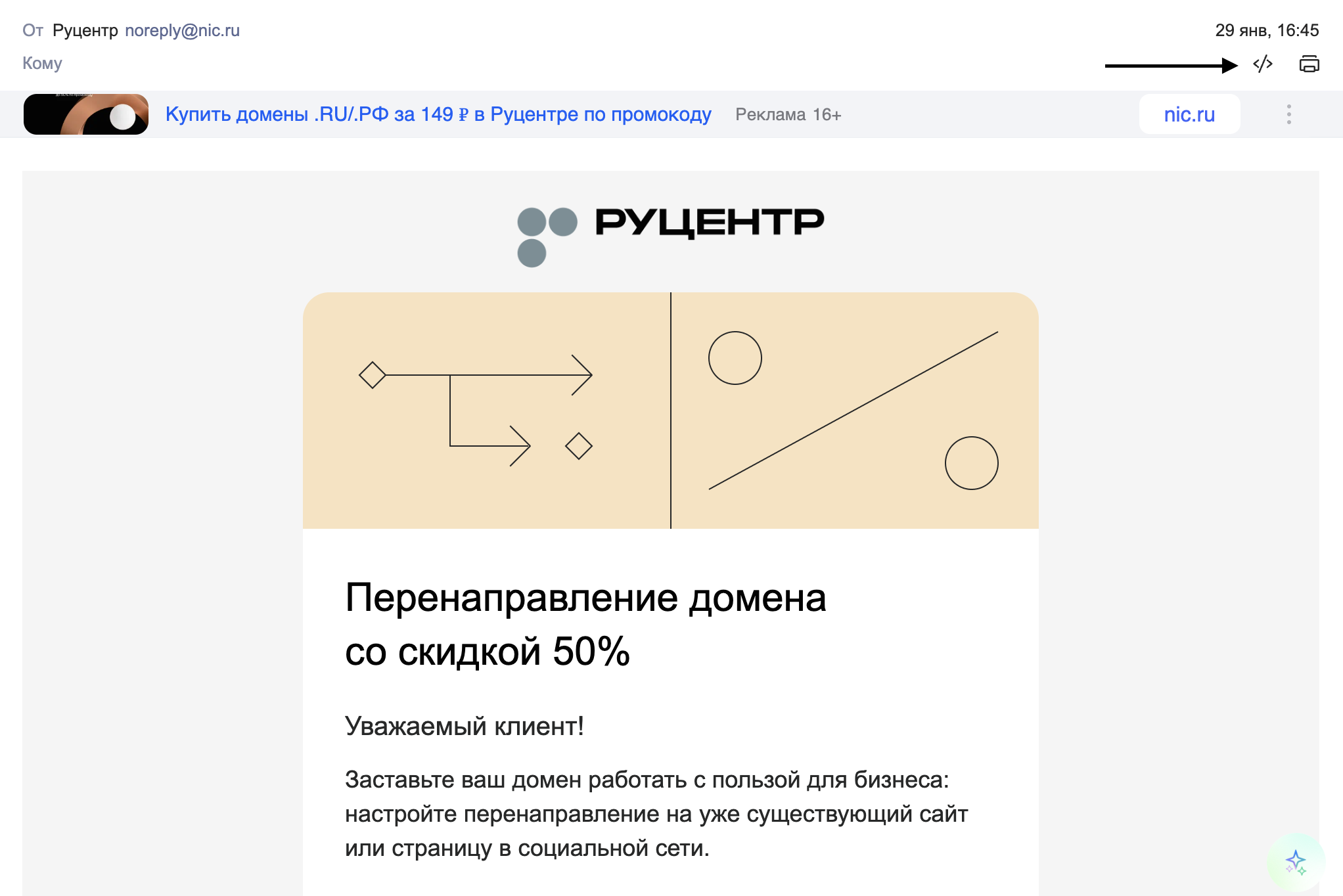
- Open the email.
- In the top right corner, click the "</>" button.
Outlook 2010, 2013
- Open the email by double-clicking it.
- In the File menu, go to Info and click the Properties button.


Outlook 2002, 2007
- In the main email list, right-click the email and select Message Options from the menu.
- The email headers will appear at the bottom of the window in the Internet headers field.

The Bat! v6.5
- In the main email list, right-click the email.
- In the menu that opens, select Message → Source of the message.

Thunderbird
- Open the email.
- On the right in the toolbar above the message, click More actions.
- From the menu that appears, select View Source.
- The email headers will be displayed in a new window.

Apple Mail
- In the main email list, select the email with a left-click.
- Open the View menu.
- Select Message → All Headers.
- The full headers will appear in a window under the Inbox folder.

Outlook Express, Почта Windows (Windows Mail)
- In the main email list, right-click the email.
- From the menu, select Properties.
- Then in the properties window, go to the Details tab.
